
REAL BOXING TRAINING
Boxing Training: BE THE BOXER Jab, cross, hook. Start with the basics.
Learn boxing basics as a game. Drill jab, cross and hook on the mitts, and get your form scored in real time. No equipment: stand your phone up and work out at home.
- No equipment
- About 3 min a fight
- Video never leaves your phone



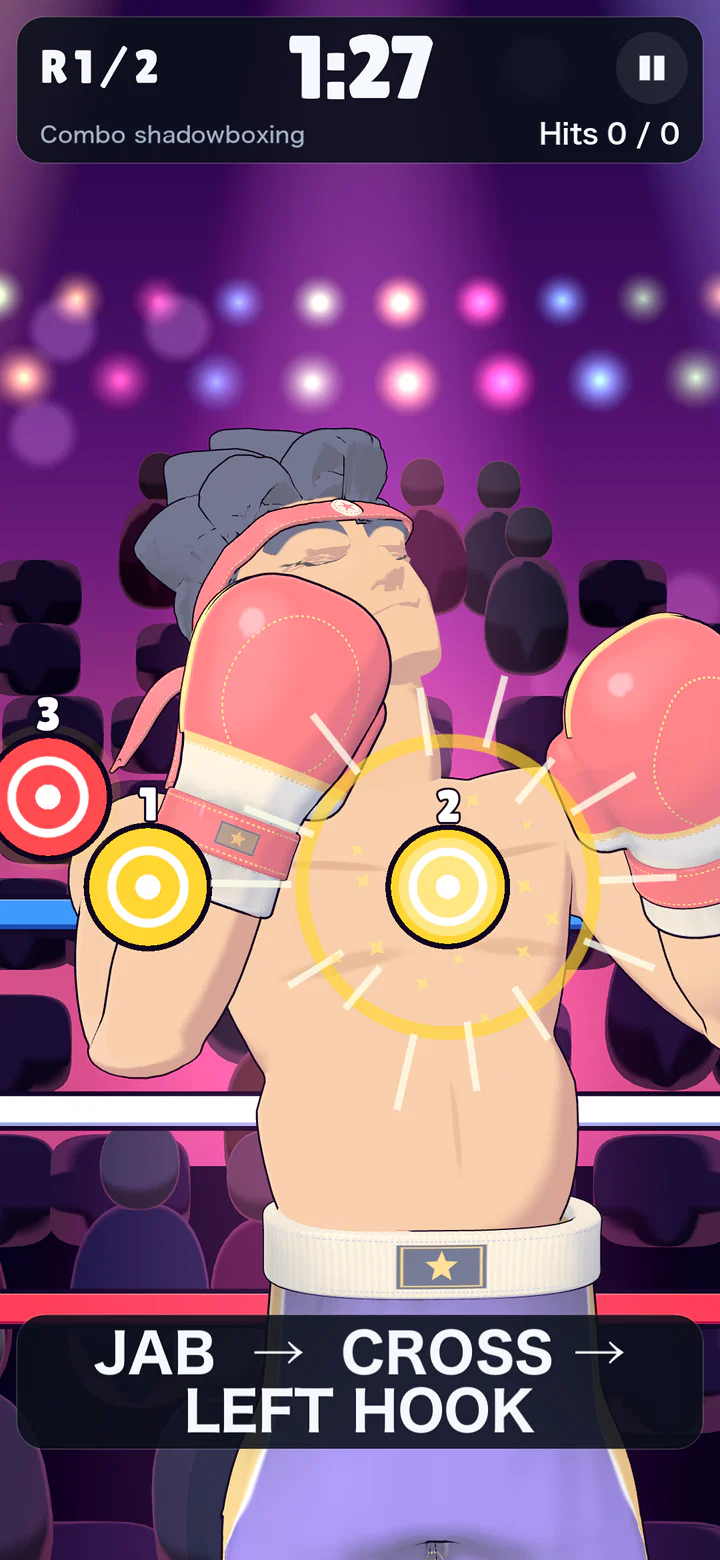

REAL BOXING TRAINING
It's a game. You'll still sweat.
Every fight is 3 rounds of 60 seconds. A daily menu and your coach's voice keep you coming back.
-
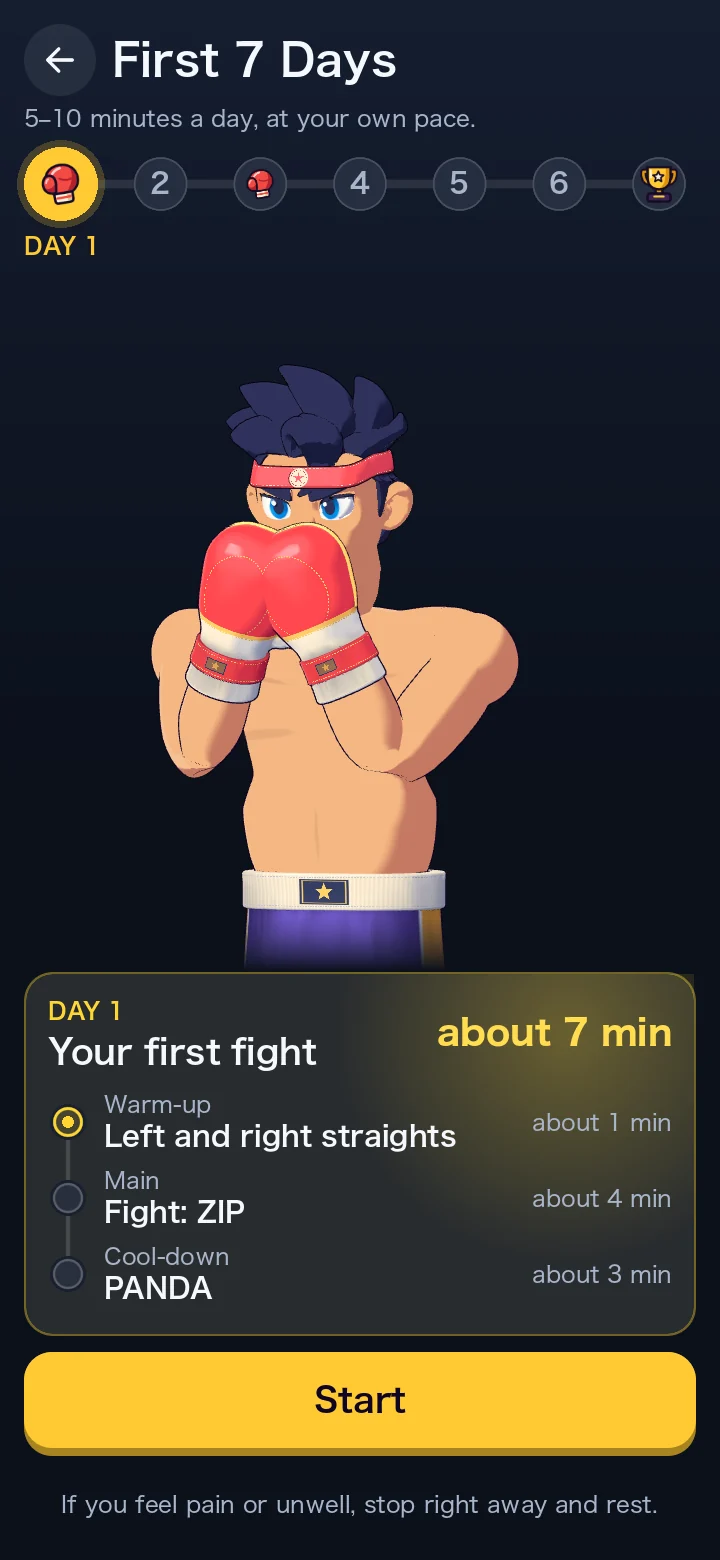
First 7 Days (free)
5–10 minutes a day: warm-up, a drill or a fight, cool-down.
-
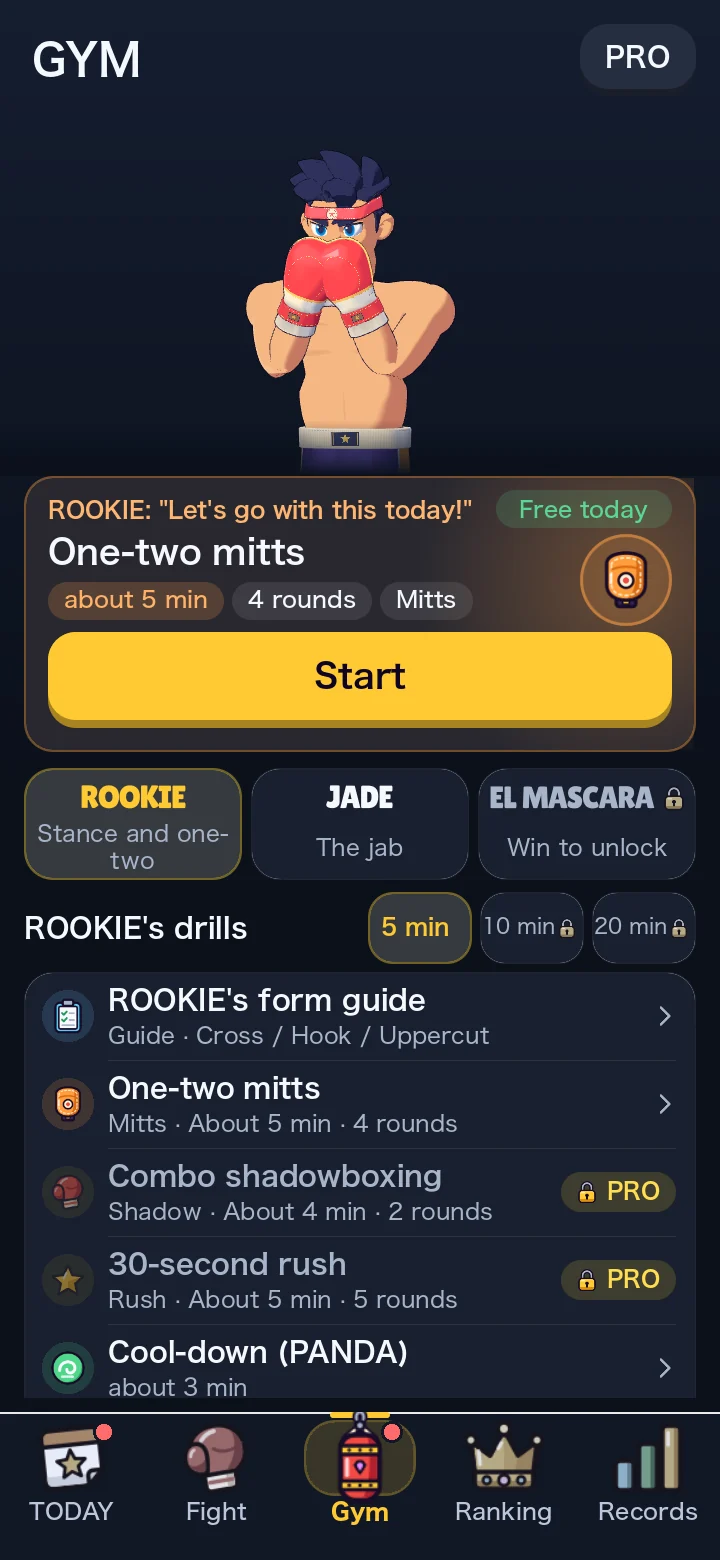
Win to earn new coaches
Your coach corrects you the moment you punch. Start with the jab, cross and hook.
-
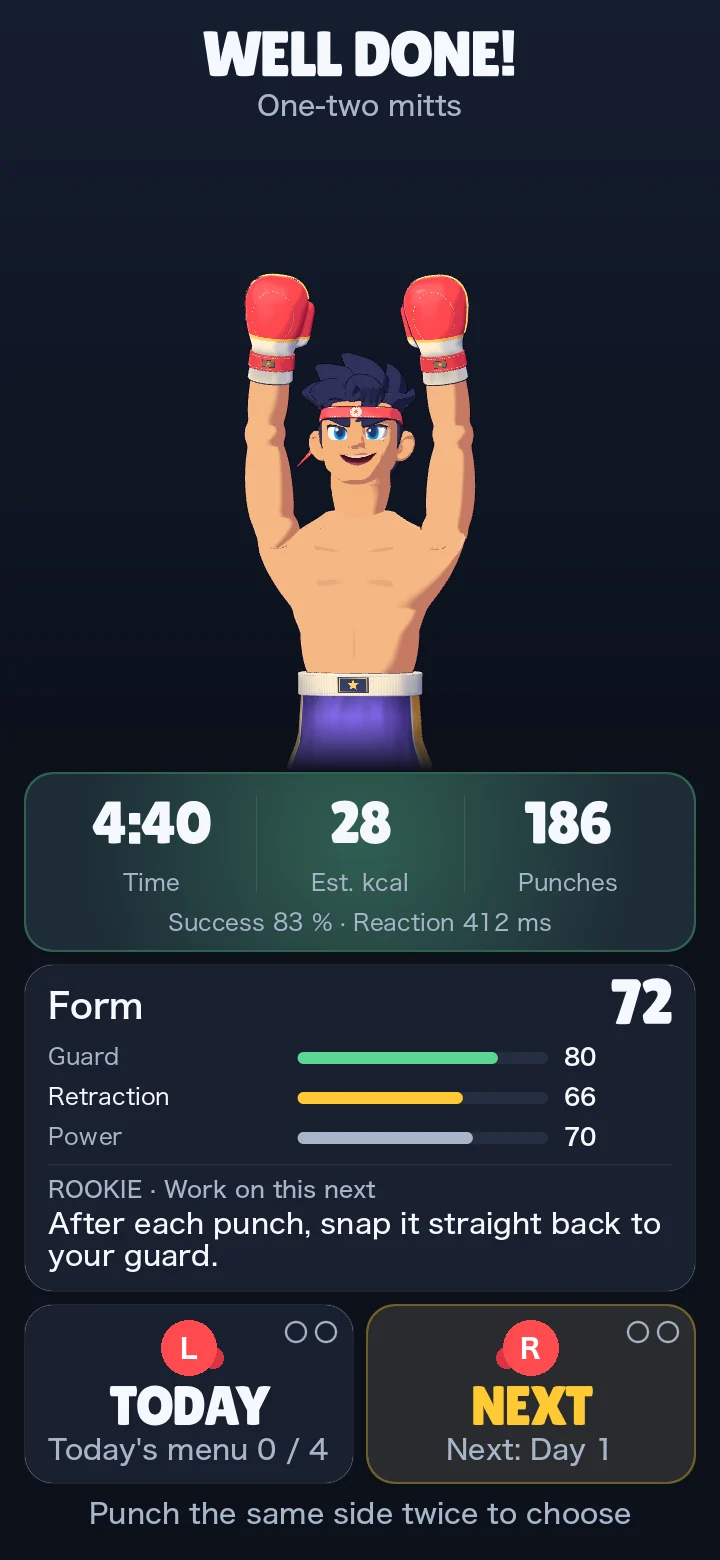
Form scores (PRO)
Get your form scored in real time. Your next menu adapts to your weak spots.
-
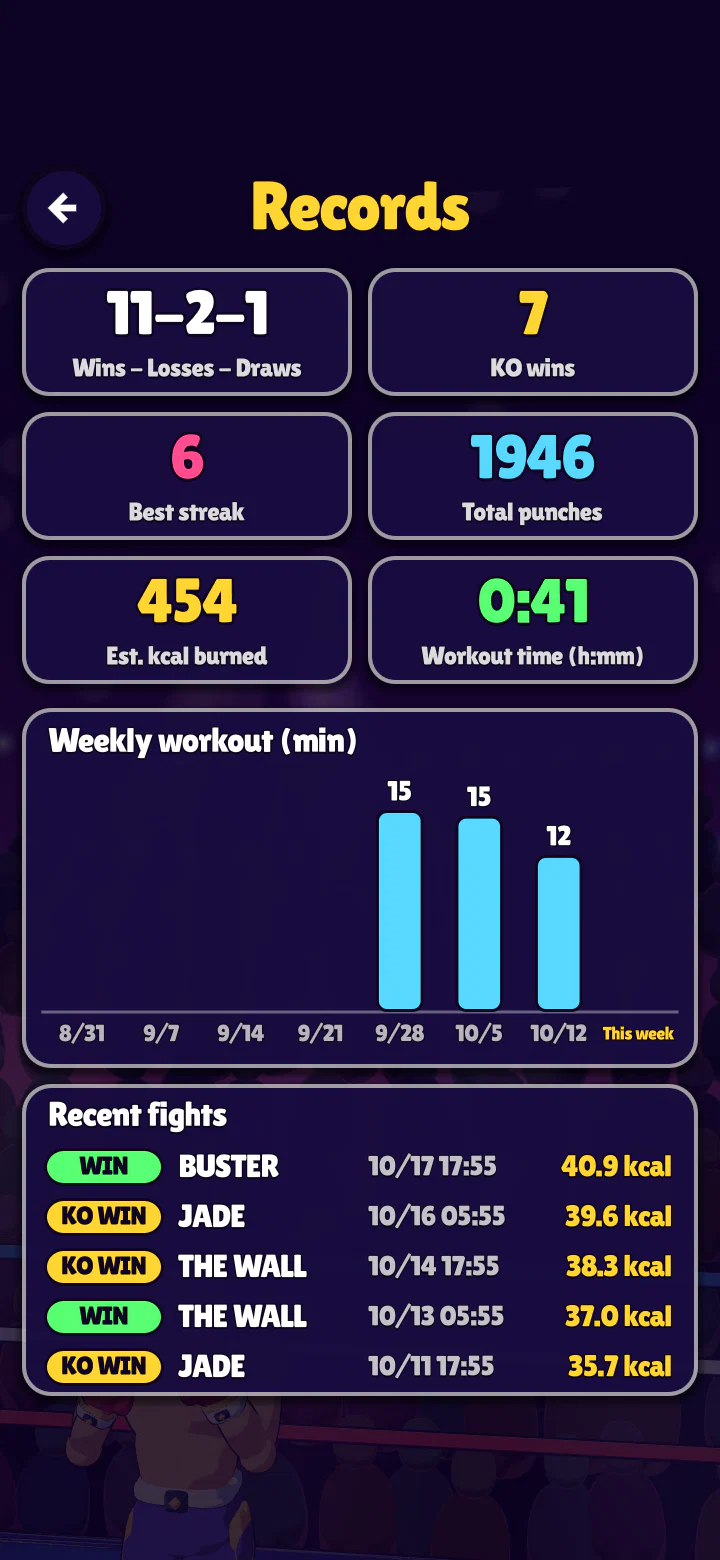
Every move adds to your log
Estimated calories and active time are logged. You can also save workouts to your health app (optional).
- 60sec × 3R
10-second breaks between rounds to catch your breath.
- kcalestimate
Calories burned per fight, estimated from your pace and weight.
- 8weeks
Weekly workout time, win streaks and total punches, charted.
Calories are an estimate calculated from a standard exercise-intensity table (MET) and your body weight; 60 kg is used if you don't enter one. Please don't use them for medical or health decisions.
TODAY
One step a day.
Open the app to TODAY: today's menu, your one next step, and one button to start it.
-
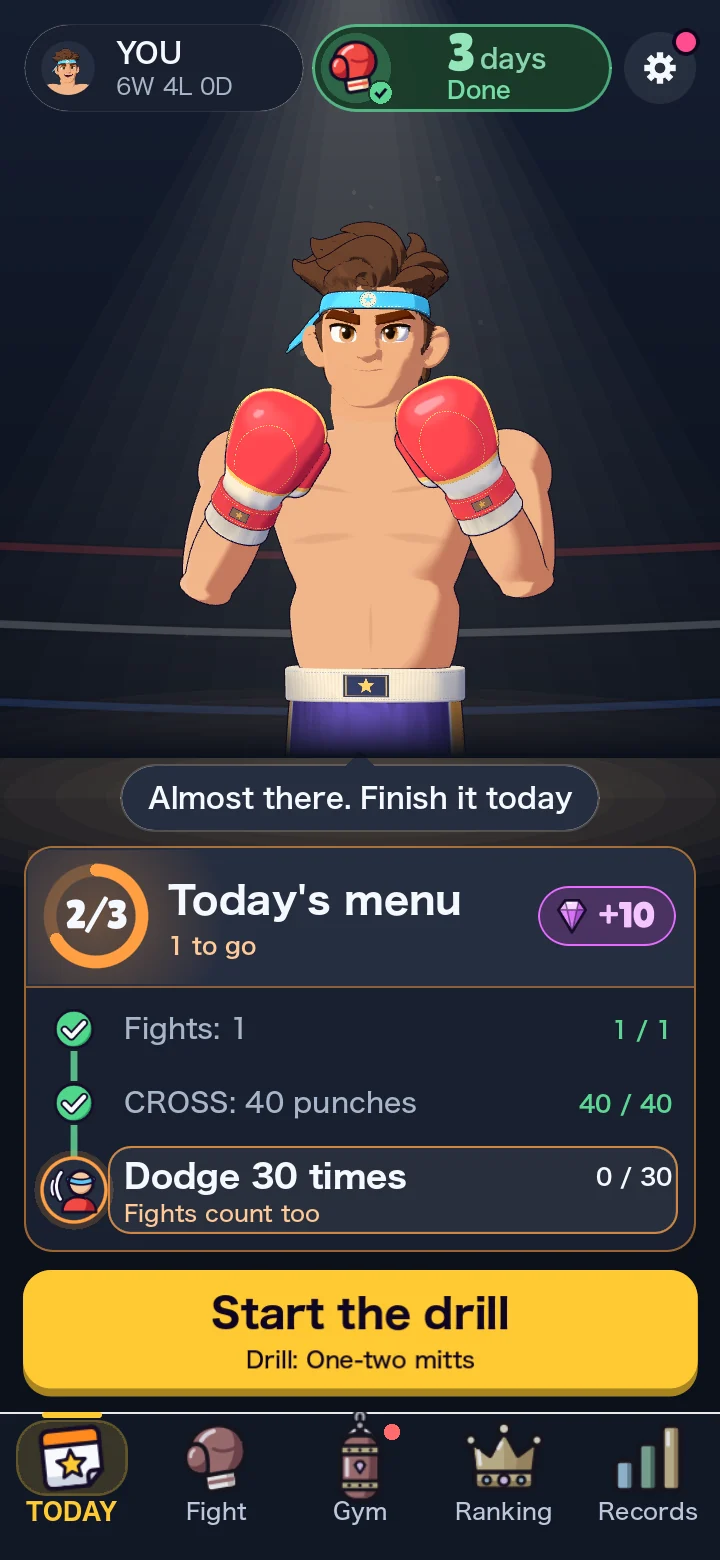
Today's menu
What to do today is already decided. One button starts your next step.
-
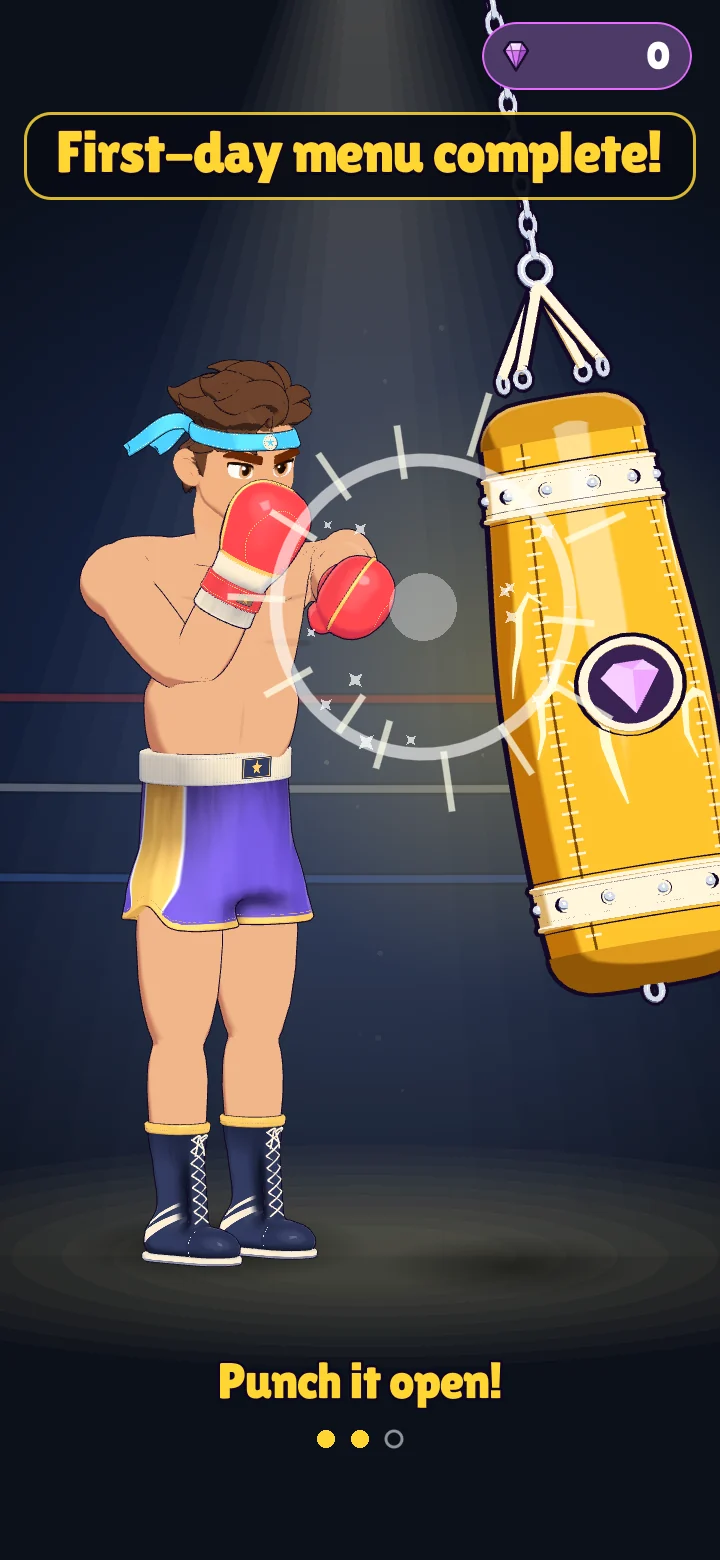
Finish it, get rewarded
Finish today's menu, punch the reward bag open and collect gems.
-
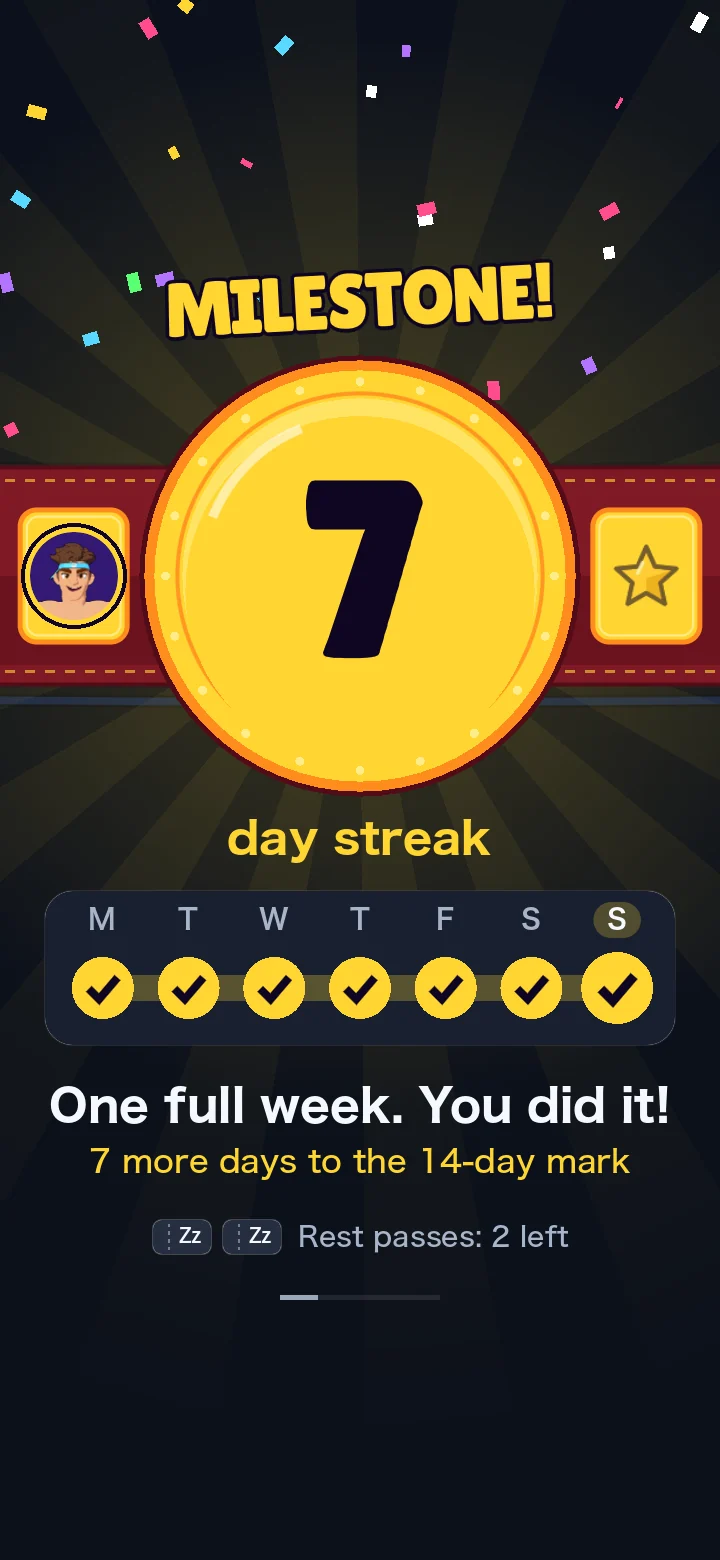
Days in a row become a streak
Pledges and rest passes keep you going. Set a reminder for the time you like.
-
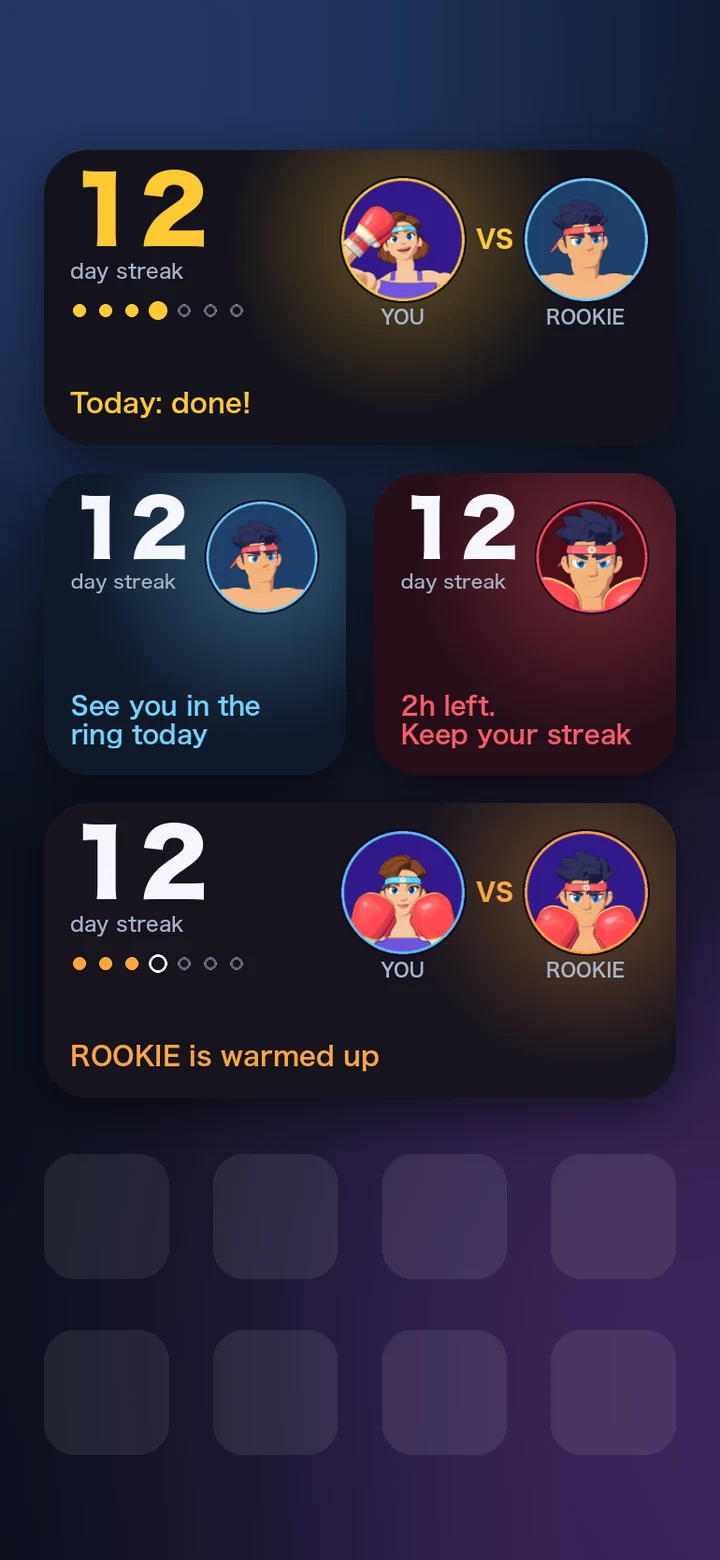
Home screen widget
See your streak and today's progress at a glance. On iPhone, it also shows on the Lock Screen and Dynamic Island (iOS 16.2+).
NO-EQUIPMENT HOME WORKOUT
Ready in 10 seconds.
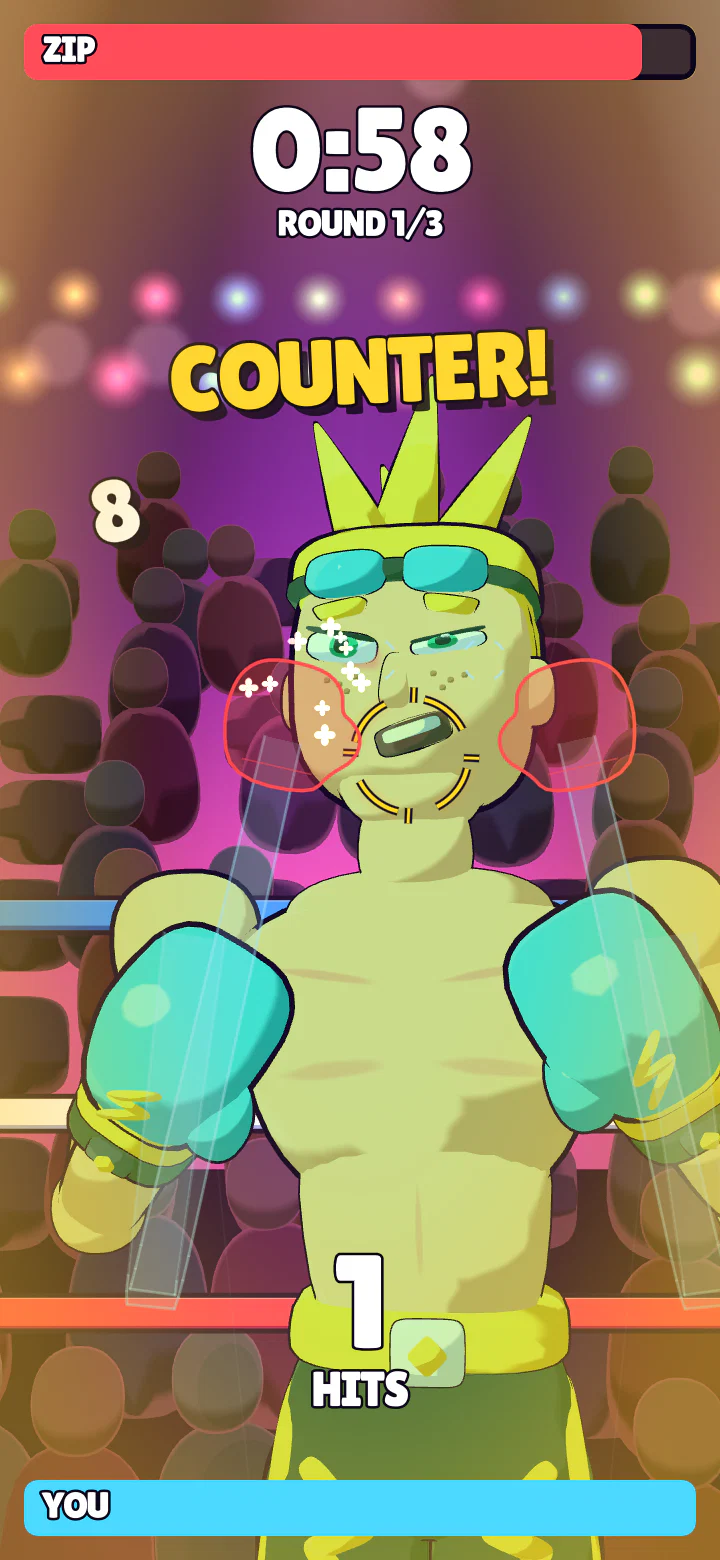
All you need is your phone and enough room to swing your arms.

-
1
Prop up your phone
Upright, between chest and face height. A shelf or a stand works. Front camera facing you.
-
2
Step back, guard up
Fists in front of your chin. Once your head to elbows are on screen, you're set. Your waist doesn't need to be in view.
-
3
Fight with your body
Throw real punches. Make real dodges. No touching the screen during a fight.
SHADOW BOXING
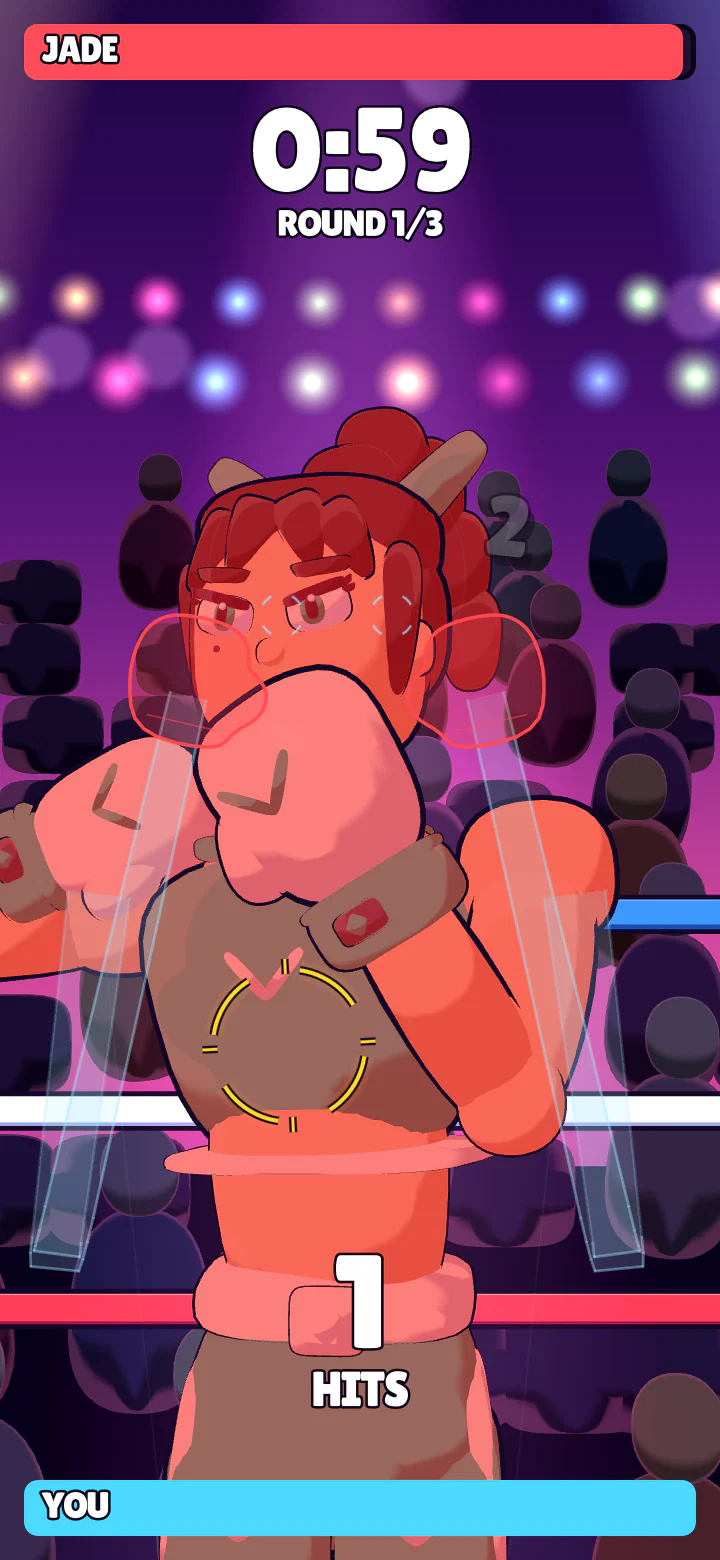
Glows red? Dodge.
Glows green? Punch.
MINI GAME
Want to try a round?
The real game is played with your body — here, use the buttons. Dodge when he glows red, punch when he glows green.







Keyboard: ← → to slip, ↓ to duck, Space to punch
This is a simple mini-game for the website. The real game reads your movements through the camera.
FREE AND PRO
Every fight is free.
Free
- Fights against the rivals
- Photo target
- Online fights
- First 7 Days
- Records and today's menu
BE THE BOXER PRO
- All training drills
- Detailed form checks
- A daily menu tailored to your weak spots
- Monthly and yearly records
- PRO outfits
PRO is an optional monthly or yearly subscription. See the store page for the price in your region.
PRO gives no advantage in fights. Form checks are an in-game guide.
OUR PROMISE
Go all out. Worry-free.
-
Your video stays put
Camera video and pose data are only read on your phone — never saved, never sent.
-
Just your phone
No controller, no sensors, no VR headset.
-
Hands off the screen
Every fight is controlled by your body — even "rematch" is chosen with your fists.
-
Health apps: write-only
Nothing is read. Whether to save workouts is up to you.
-
Workout backup only if you choose it
Until you opt in, your estimated calories and active time are not stored on our server.
-
7 languages
日本語, English, 한국어, 简体中文, 繁體中文, Español, Português.
FAQ
Questions
Where can I download it?
It's out now on the App Store and Google Play. It's free to play — use the buttons on this page to go to your store.
How much can I play for free?
Fights against the rivals, the photo target, online fights and First 7 Days are all free. PRO (a monthly or yearly subscription) adds all training drills, detailed form checks, a daily menu tailored to your weak spots, and monthly and yearly records. Cosmetic items are bought with gems.
What devices does it run on?
iPhone, iPad and Android phones with a front camera. Check the store page for supported OS versions.
How much space do I need?
Stand 0.7–1 m from your phone with room to swing your arms forward and sideways. Check that nothing and no one is within reach before you start.
Can I play in an apartment?
You stand in place and move only your upper body and arms. There's no jumping or running. Sound follows your phone's volume.
Is my camera video sent anywhere?
No. Pose reading happens only on your phone, and neither video nor pose data is saved or sent.
Can I see myself while I play?
A small camera window shows you at the top right in fights and training. It appears in screen recordings and streams too. The video stays on your device and is never saved or sent. Turn it off in Settings > Self view.
What if it doesn't read me well?
Play in a bright room with your phone between chest and face height. Stand where your head to elbows fit on screen; a simple background helps.
Are the calories accurate?
They're an estimate calculated from a standard exercise-intensity table (MET), your punching pace and your body weight; 60 kg is used if you don't enter one. Think of them as a guide.
Can it save workouts to my health app?
Yes. Turn it on in Settings and finished fights and drills are saved as workouts to Apple Health on iPhone or Health Connect on Android. It only writes; nothing is read. Calories are an estimate.
Is there anything to help me keep going every day?
Opening the app shows TODAY with today's menu and your one next step. Finishing the menu earns gems. Your days in a row count as a streak, and rest passes, a reminder at the time you choose and a home screen widget help you keep it.
What happens to the photo I use for the photo target?
It's used only on your phone. Only the cut-out face is stored on the device; the original photo isn't saved, and nothing is sent.
Can I use someone else's photo?
Ask them first. Photos are used only on your phone and are never sent.
What about switching phones?
You can transfer your data from Settings. Create a code on the old phone and enter it on the new one to move your record and progress.
More questions? Visit the help pages →

Your room is the ring.
Prop up your phone, raise your guard, hear the bell. Starting today, you're the boxer.